
Project Summary
| Client | XOX Interactive |
| Game | FPV Kamikaze: First War |
| Type | FPV drone combat simulator |
| Engine | Unity 6 URP |
| Platform | Android and iOS |
| Timeline | 6 months |
| Our Role | Full-cycle development: flight model, missions, optimization and store release |
The Brief
XOX Interactive came to us with a premise that is easy to say and hard to deliver: put the player in the goggles of an FPV strike drone, on a phone, and make the flying feel real enough that people who fly actual quads don’t laugh at it.
That shaped every decision in this FPV drone simulator game development project. An FPV game lives or dies on its flight model. The missions, the explosions and the menus only matter once a player has crashed ten times and still wants to take off again. So we started with the drone, and built the game around it.
The result shipped on both stores under the client’s own name: FPV Kamikaze: First War on the App Store and First War: FPV Kamikaze Drone on Google Play.


A Flight Model That Feels Like FPV
Most drone games fly like a camera on a string. Real FPV quads don’t: they are rate-controlled, they carry momentum, and they punish you for cutting throttle in a turn. We wanted the second kind, without scaring away someone who has never held a transmitter.
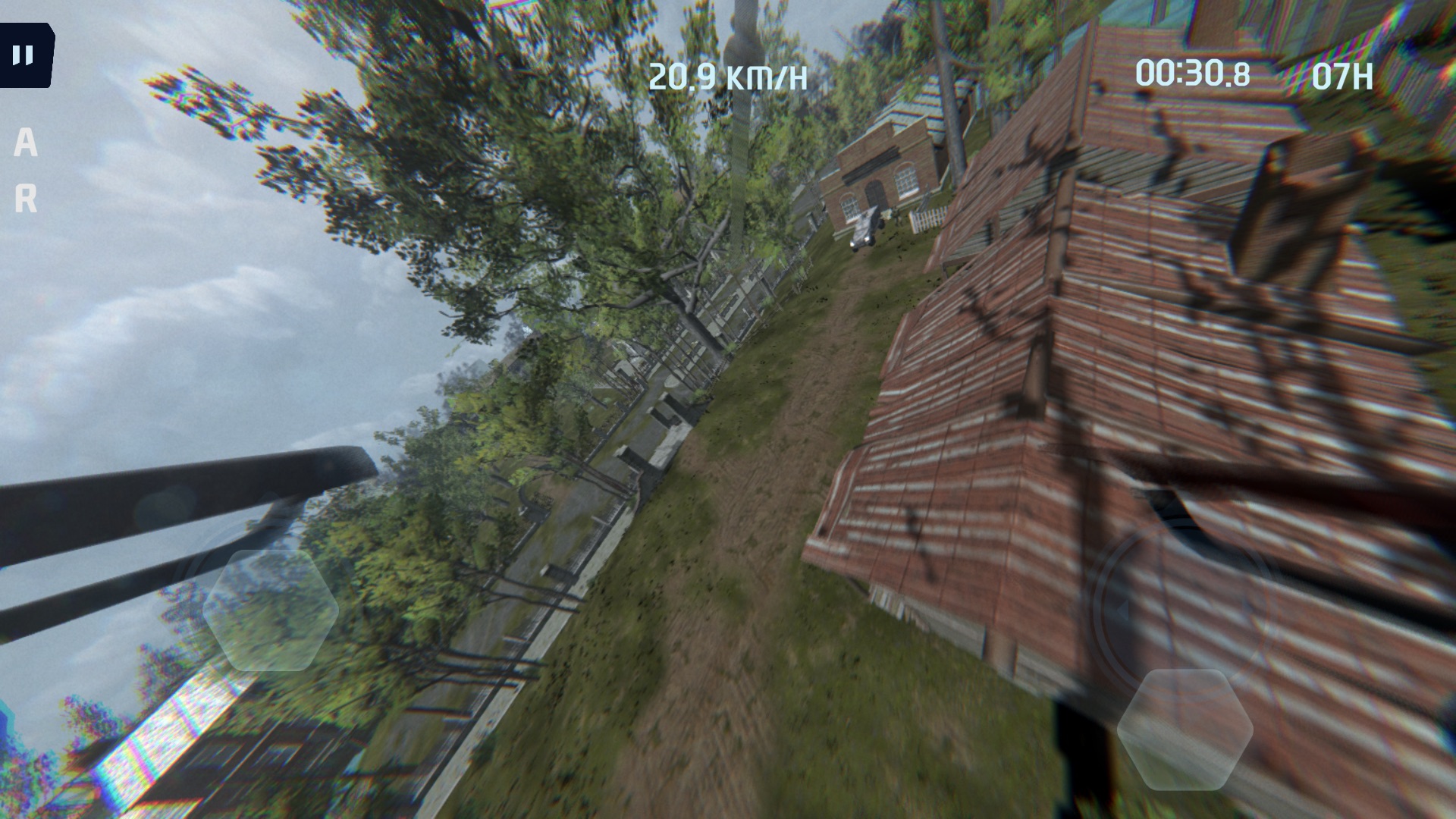
So the game has three flight modes, the same ladder real pilots climb. Angle mode levels the drone for you and caps its tilt. Sport allows steeper tilt and faster dives. Acro hands over full rate control, with nothing to catch you. Pitch, roll and yaw rates, deadzone and maximum tilt are all tunable, and the stick layout supports Mode 1, Mode 2 and Mode 3, because a pilot who learned on Mode 1 will not relearn for a mobile game.
On a touchscreen, the on-screen sticks imitate transmitter gimbals rather than a generic virtual joystick, so the skills carry over in both directions.
Real RC Radios on a Phone
The audience that cares most about a drone simulator owns a radio. Plug a USB transmitter into a phone and you would expect it to just work. It doesn’t, and it fails quietly.
Android’s default joystick layout in Unity exposes only two axes, while radios put throttle and yaw on the others, so the radio was detected with half its sticks missing. On top of that, Unity applies a deadzone to every HID axis, which flattens exactly the fine stick movement an FPV pilot depends on. We wrote a device layout that reads the raw axes and bypasses the engine’s processing, and our own flight modes apply their own deadzone instead.
Rather than maintain a list of supported radio models, the game ships a calibration wizard: centre the sticks, sweep them, then confirm throttle, yaw, pitch and roll one by one. Any radio that presents itself as a joystick works, including ones we have never seen. Bluetooth gamepads work too.
Ten Missions, One Dive Each
A kamikaze drone has a design constraint built in: every attack is the last thing it does. Missions are built around that single, committed dive, so the tension sits in the approach: reading the wind, managing speed, and picking the line before you commit.
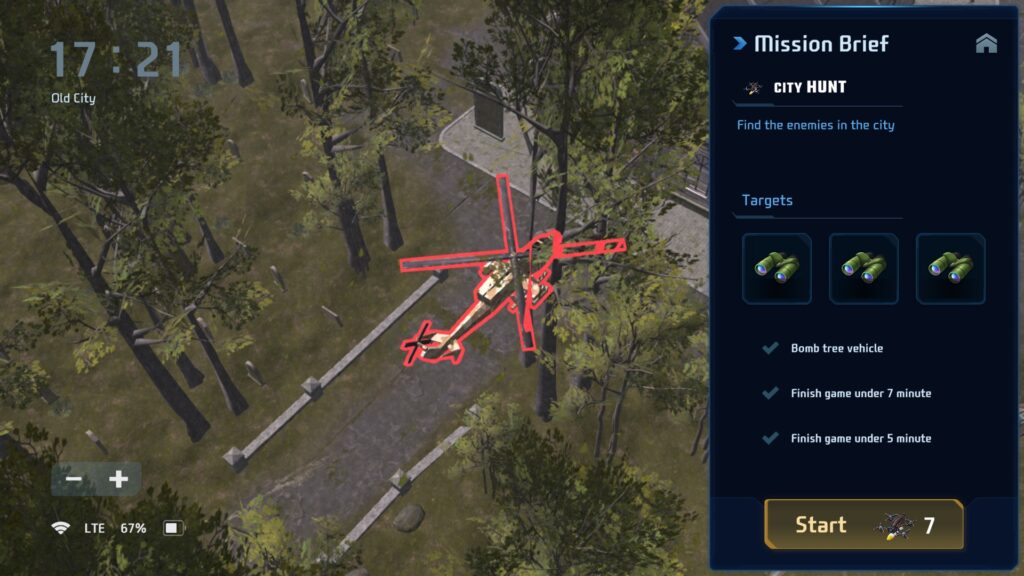
The campaign runs ten missions across four environments: a military base, an old city, a rural road and an abandoned factory. Targets escalate from static positions to snipers, a moving armoured convoy and, in the finale, an attack helicopter that fires flares and can only be brought down through its weak points. A recon mode lets the player scan the area from above and plan the approach before launching. A guided tutorial and a free-flight mode sit outside the campaign for practice.
Impacts use physics-driven explosions, shockwaves, destructible props and ragdolls, with haptics and in-goggle signal interference to sell the moment of contact.
Mobile Game Optimization: Big Maps on a Phone
A drone sees everything. You can’t hide the map behind corridors the way a shooter can, so these environments are large, open and seen from altitude. Fitting them onto a mid-range phone took most of the optimization budget, and the biggest wins were not where you would look first.
Geometry nobody can see. The environment art arrived with props pre-merged into large meshes. Analysing them showed almost half the triangles in some meshes were sub-15 cm bolts, screws and brackets, invisible from a drone at any height. Stripping that micro-detail was worth far more than simplifying the shapes players actually see.
Opaque objects drawn as transparent. Stale import data had pushed fences and other solid objects into the transparent render queue. Fixing the queues and moving the fence netting to an alpha-clipped shader cut blended material slots on one map from 240 to 20, with no visible change.
Drawing what the fog already hides. Every map uses fog that ends within 400 metres, yet the camera rendered out to 5,000. Pulling the far plane in to 600 metres removed geometry the player could never see.
Lighting inside a hard limit. The mobile shaders were already at the 16-sampler ceiling, and lightmaps would have added more, plus hundreds of megabytes. The maps use baked light probes only: indirect light without a single lightmap texture.
Shipping on Both Stores, Under the Client’s Name
The game is published from the client’s own developer accounts with no studio branding, which is how most of our mobile game development work ships. iOS was held to the same bar as Android: every per-platform performance setting was mirrored to the iPhone build, tested against the memory ceiling of an older iPhone.
Firebase Analytics and Crashlytics went in before launch, not after. That paid off within days: Crashlytics surfaced crashes caused by timers, coroutines and events outliving the scene they belonged to, and the following updates closed them out. Content is delivered through Addressables, so maps load on demand rather than all at once.
If you’re interested in fast-paced action on other platforms, our browser-based multiplayer FPS tackles a different set of constraints, and our mobile monetization case study covers the ads, IAP and SDK side of shipping a commercial title.
What We’d Bring to Your Project
- Build the core feel first. In a simulator, the flight or driving model is the product. Everything else is packaging.
- Support the hardware your audience already owns. Calibration beats a compatibility list.
- Profile on a real device, not in the editor. The editor’s numbers on a desktop machine tell you very little about a phone after ten minutes of thermal throttling.
- Treat the store’s size and policy limits as design constraints, not something you discover on upload day.
Work With Us
Planning a drone game, a flight simulator or any 3D mobile game that has to look good and still fit on a phone? We take projects from first prototype to both app stores, or join your team to fix the performance and release problems that are holding a build back.
Tell us what you’re building. Scope, team and a fixed quote come back within two business days.

Got a Game That Needs to Ship?
Send a design doc, a build, or three sentences and a reference game. We’ll come back with scope, team and a number.